QGIS or ArcGIS for a tree inventory? Compare with IDA
A GIS shows where your trees stand. Tree management asks for more: inspections as a form, fieldwork by contractors, review of what comes back and a record per tree. In IDA Bomen, the tree management software from the Netherlands, that process is ready to use, and your tree data goes to QGIS or ArcGIS in open formats, so your GIS team keeps analysing.
6 min read
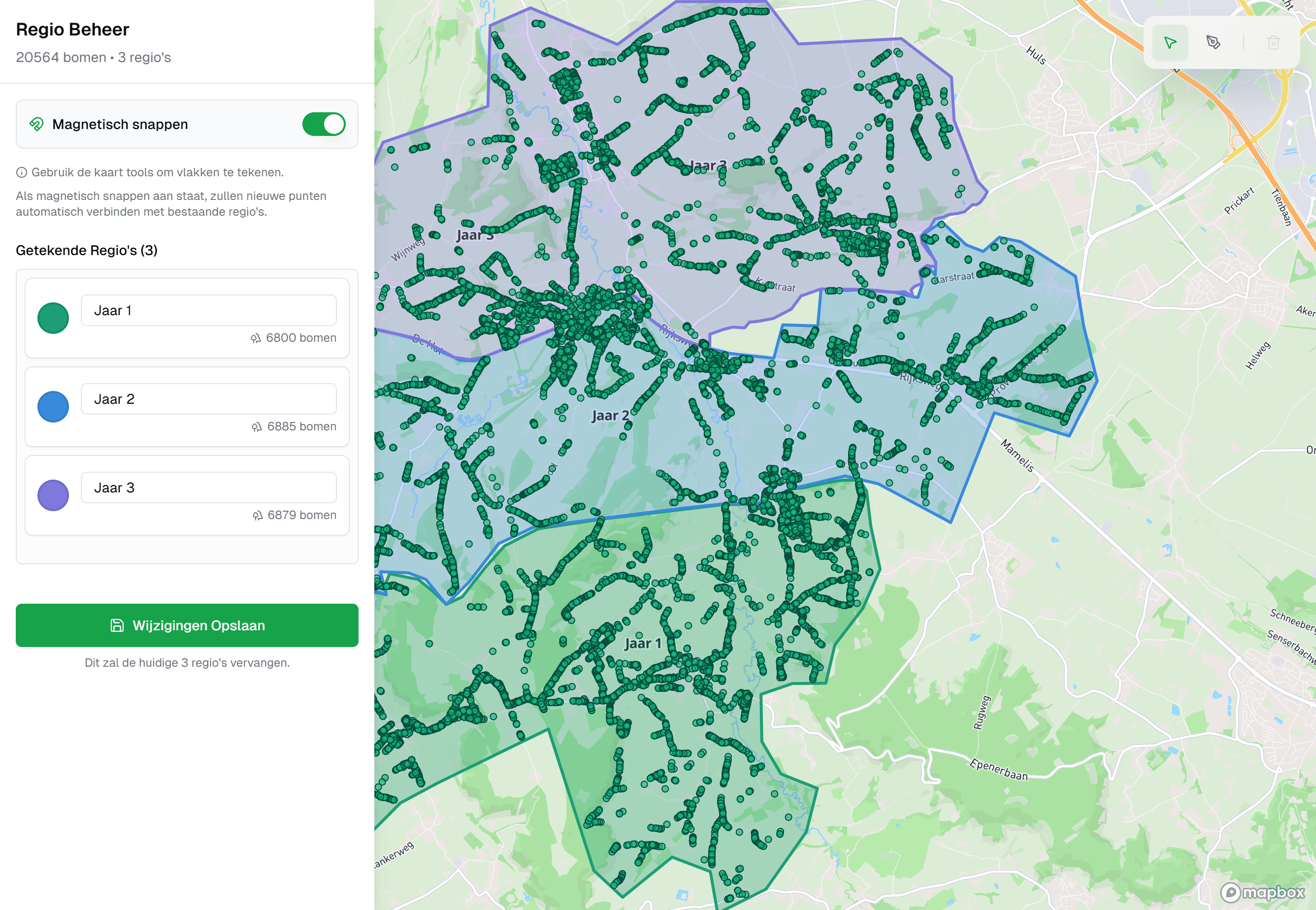
Can you manage a tree inventory in QGIS or ArcGIS
In a GIS you record where your trees stand. Managing them is more than that: commissioning an inspection round, having it filled in outside, reviewing what comes back, having a measure carried out and keeping per tree what was established. That process is not in QGIS or ArcGIS. You build it in yourself, or you work with tree management software in which it is ready to use.
IDA Bomen is that software. The process around the tree is in it, from form to approval, and the data goes to your GIS in open formats. Your GIS team keeps analysing and making maps, on tree data that is kept up in one place. So you do not have to choose between IDA and your GIS: IDA is the source, the GIS calculates and draws with it. IDA Bomen comes from the Netherlands, and the examples in this article are taken from Dutch practice.
What tree management asks that a GIS does not have
A GIS knows layers, features and attributes. It does not know the concepts below until someone builds them. In IDA they are the core.
- An inspection as a form
- A tree safety inspection is not a row of attributes but a form with rules: this field is required, that field only appears when there is a defect, this pick list follows the sector's classes.
- A round with progress
- Which trees belong to this assignment, who does them, how many are done and which are waiting for something, such as a permit or the end of the nesting season.
- Fieldwork for people without GIS knowledge
- An inspector or a contractor's crew has to be able to fill things in at the tree, on a phone, without having to understand layers and projections. With QGIS and ArcGIS you do that with a separate field app that you set up yourself.
- Review of what comes in
- A new tree or a changed value from the field first passes a manager. In a GIS an edit is in the layer once it is saved.
- A record per tree
- Not only the current attributes, but per value also what was there before, which inspection it comes from, by whom and when, with the photos.
- Access per assignment
- A contractor who sees and fills in their own assignment, without access to the rest of your geodata.
What such an inspection records is in what a tree safety inspection is. Why the record per tree counts is in the article on the duty of care for trees.
QGIS and ArcGIS next to IDA
| What you want to do | QGIS or ArcGIS | IDA |
|---|---|---|
| Buffers, overlays and your own spatial models | Ja | Via your GIS |
| Laying out maps for reports and print | Ja | Via your GIS |
| Reading any map layer and any format | Ja | PDOK layers |
| Filtering and colouring trees on the map | Ja | Ja |
| Inspection form with rules and sector classes | Build it yourself | Ja |
| Filling in at the tree without GIS knowledge | Extra app | Ja |
| Commissioning a round and tracking progress | Build it yourself | Ja |
| Reviewing input before it enters the register | Build it yourself | Ja |
| History per value, with source and person | Build it yourself | Ja |
How spreadsheet, GIS and tree management software relate as categories is in tree management software: what it is and what to look for.
How IDA works next to your GIS
IDA is a specialised tree management package that runs in the browser, with the map as the way in to your inventory. We take over the tree layer from your GIS in the format it is in, whether that is a shapefile or a GeoPackage. That migration is part of the onboarding. Per project you export to shapefile and GeoJSON, in RD, the Dutch national grid, and to CSV and Excel. Those are open formats that QGIS and ArcGIS read directly. If your GIS team prefers GeoPackage, KML or DXF, we deliver that too. For a permanent link there is an API to connect IDA to your own systems. So your GIS team keeps analysing with current tree data.
The process around the tree is in IDA itself. You commission inspections and work as a project, with a form that you adapt yourself and that adapts as you go: the inspector sees the questions that apply to this tree, and cannot skip what is required. The standard forms use the sector's classes, in line with Handboek Bomen, the Dutch standard for tree care and tree inspection. Outside, people work in a web app on a phone or tablet, with nothing to install. A contractor gets access per project. You review new trees and deviations in a queue, and every value of a tree knows its provenance, with person and time. More on that under the tree record.

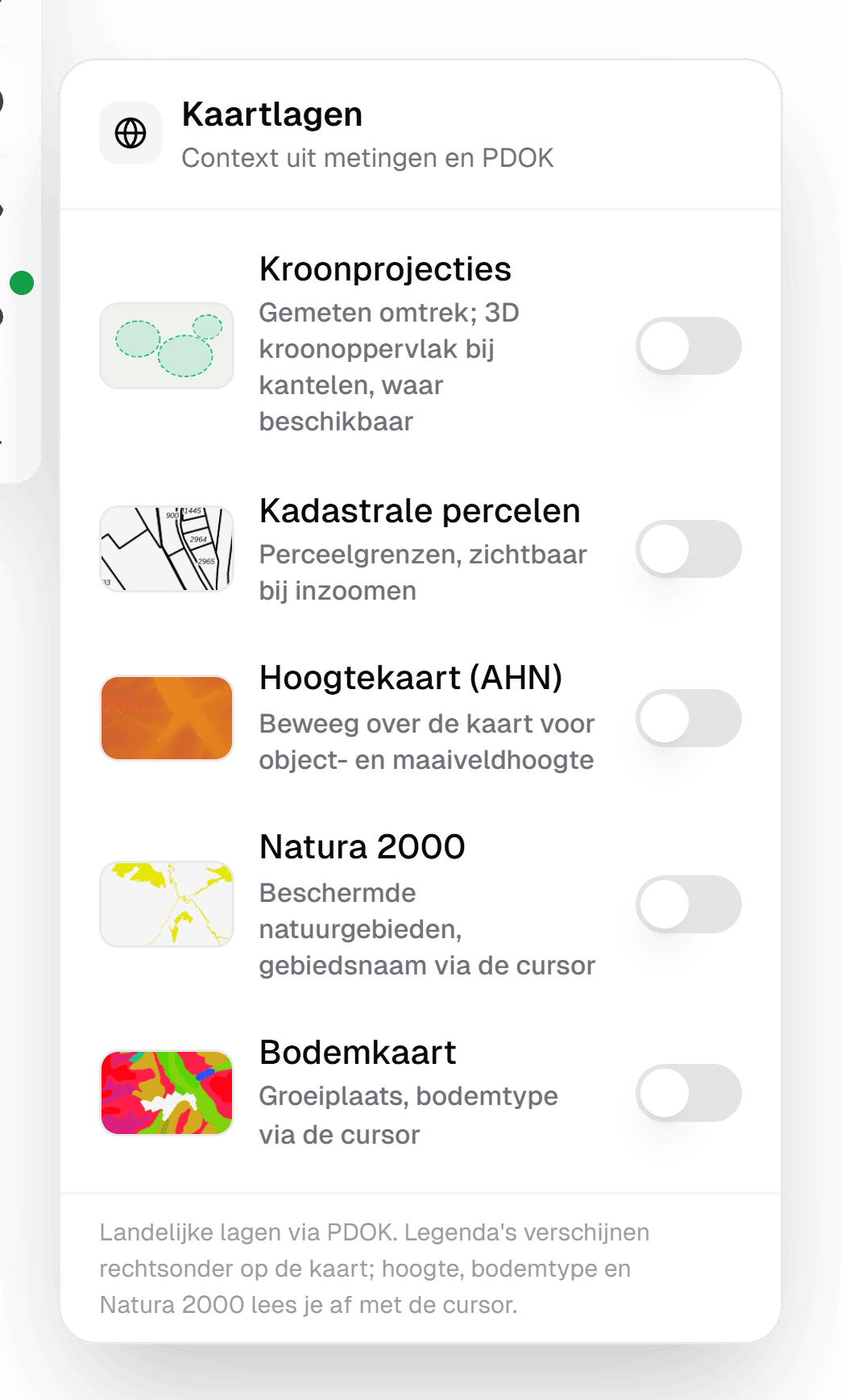
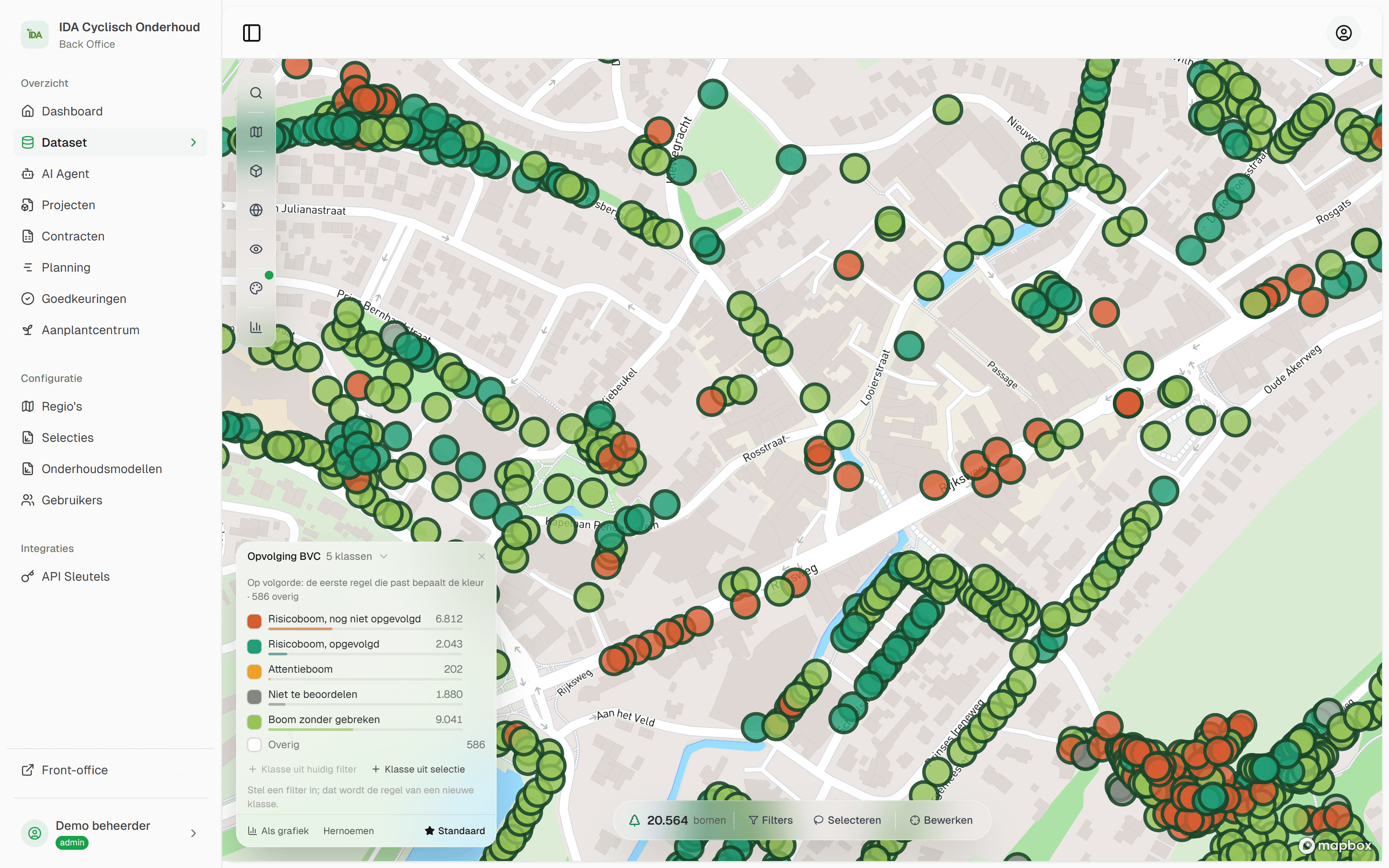
The IDA map has the layers you need every day in tree management: the PDOK aerial photo, also in infrared, cadastral parcels, the AHN elevation map, Natura 2000 and the soil map. You draw areas yourself as regions, and then use them in filters and charts.
What building it yourself in your GIS costs
Everything in the table can be set up in a GIS: forms on the layer, a separate field app, your own history per value in the database and a set of permissions for every outside party. That is a software project, with a builder, an administrator and a lead time.
Count three things when you compare it with a package that is ready to use. The hours of the person who builds it and still maintains it five years from now. The willingness of tree managers and contractors to work in a GIS environment. And what happens when the builder leaves: a self-built process is rarely written down. With IDA you start with the management itself, with forms in line with Handboek Bomen that you then adapt to your own way of working.
What stays in your GIS
A geographic information system is a toolbox for spatial data. QGIS is free and open source, and describes itself as software to create, edit, visualise, analyse and publish geospatial information. ArcGIS is Esri's commercial platform. This work belongs there, and stays there when you work with IDA:
- Spatial analysis. Which trees stand within ten metres of a planned trench, how much canopy area each district has. You calculate on an export from IDA.
- All other layers. Sewers, cables, zoning plans and your own measurements are laid over your trees by the GIS. The open map layers of Dutch public authorities come from PDOK (in Dutch).
- Cartography. A map for a council proposal or a residents' evening, with legend, scale and north arrow.
How IDA and your GIS work together
IDA is the source for everything about the tree, the GIS is the place for analysis and for the map with all other assets. That works with three agreements.
One source per item of data
You change tree data in IDA, nowhere else. The GIS gets a copy to calculate and draw with. That way there are never two truths.
A fixed tree number and a fixed coordinate system
The tree's unique number goes along in every export, so you can join it to your own tables in the GIS. Agree on the coordinate system; in the Netherlands that is usually RD.
A fixed export moment
After every completed round, or every month: an export in an open format your GIS reads directly, such as a shapefile. Whoever makes an analysis then knows what date the trees are from.
If you want to see how that fits next to your own GIS, bring your tree layer to a demo.
Frequently asked questions
QGIS is made for editing and analysing geospatial information, and you can record your trees in it as a map layer. The management itself is not in it: inspection rounds, fieldwork by contractors, approval and history per tree. You handle that in tree management software such as IDA Bomen, which delivers your tree data to QGIS as a shapefile.
No, they work together. IDA Bomen is the source for the data and the process around the tree. Spatial analysis, cartography and combining with all your other layers remain work for the GIS. For that, IDA exports to open formats that QGIS and ArcGIS read directly, such as a shapefile.
Shapefile and GeoJSON are read by practically every GIS, and GeoPackage is an open OGC standard for the same purpose. Besides the format, agree on the coordinate system, in the Netherlands usually RD, and include the unique tree number in every export.
You can, and it is a software project: forms, a field app, permissions for outside parties and history per value are yours to build and maintain. Count those hours, and what happens when the builder leaves. In IDA Bomen that process is ready to use, with forms in line with the Dutch Handboek Bomen that you adapt to your own way of working.
Technically yes, with a field app and an account of their own. You then have to arrange yourself that they see no more than their assignment and that their input is reviewed before it is in your layer. In IDA Bomen a contractor gets access per project, and you review new trees and deviations in a queue before they enter the register.
Read on
Tree management software: what it is and what to look for
Tree management software records your trees, inspections and maintenance on one map. What a tree management system does, and ten questions for any vendor.
7 min read
Tree inventory in Excel or in IDA: when to make the move
Keeping your tree inventory in Excel? Read where a spreadsheet stops for trees, and how we migrate your file to IDA Bomen, with a map and history.
6 min read
Compare tree management software: criteria and demo script
How to compare tree management software: weighted criteria, a demo script with your own inventory and the questions on export, contractors and total cost.
7 min read
How to create a tree inventory: from survey to register
Creating a tree inventory: which data you record per tree, how you survey trees, bring in existing data and keep the inventory current. Dutch practice.
7 min read

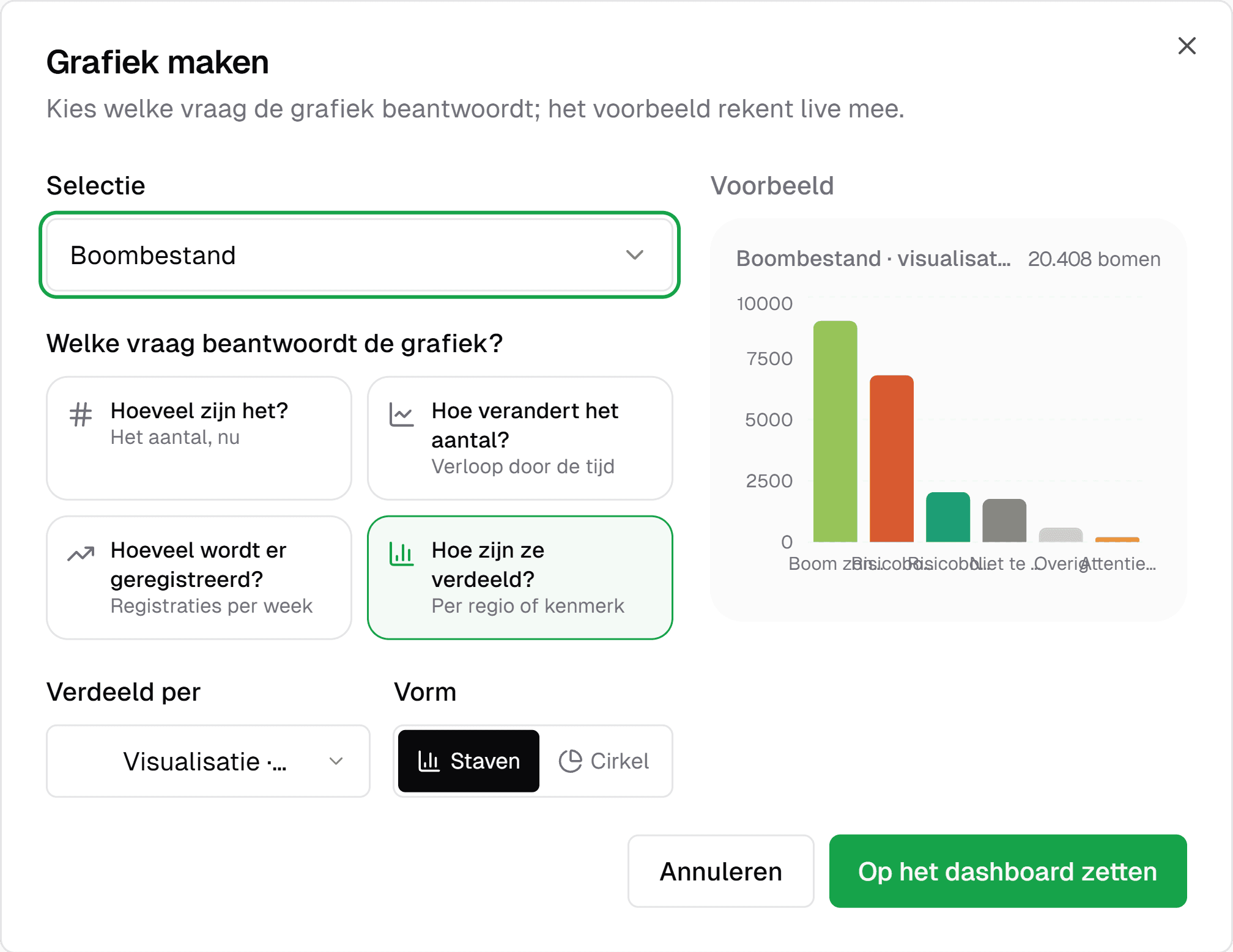
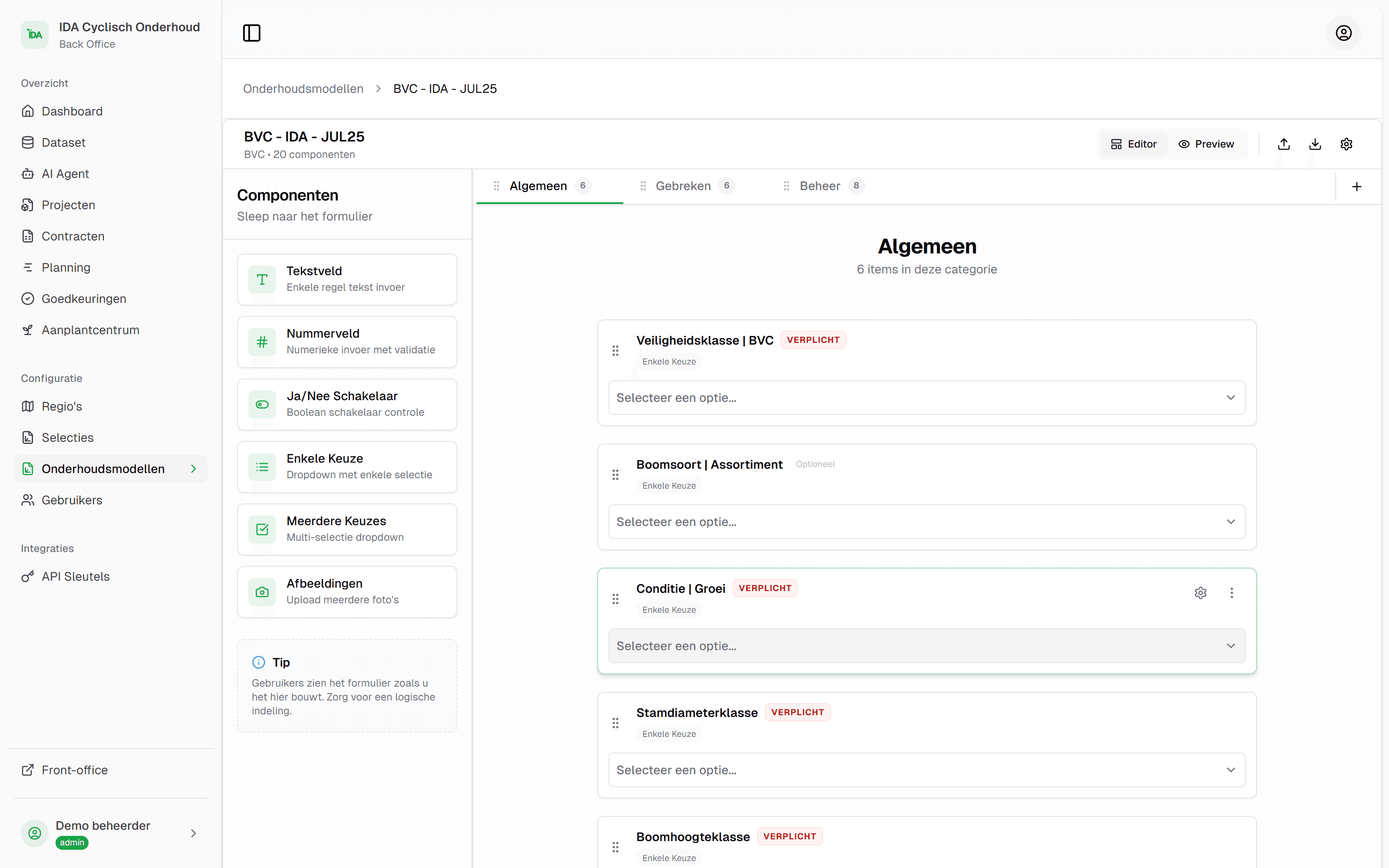
See your own tree inventory in IDA
Send us your tree inventory, as a shapefile, an Excel list or whatever you have, and we will show IDA on your own trees, from your own file to the approval of field work.
Used by