Tree inventory in Excel or in IDA: when to make the move
A spreadsheet keeps today's state. Tree management also asks what was recorded for a tree before, who established it and where the tree stands. You make the move as soon as those questions are asked or more people work in the file. We migrate your Excel file to IDA Bomen, the tree management software from the Netherlands, and after that every tree has a place on the map and a history.
6 min read

Can you keep a tree inventory in Excel
A tree list in Excel is where many tree owners start: one row per tree, columns for species, height and last inspection. A spreadsheet keeps today's state. Tree management also asks for yesterday: what was recorded for this tree, who established it, and what was done afterwards. A spreadsheet is not made for that, and that is where tree management software begins.
In IDA Bomen every tree is on the map, every value remembers where it came from, and inspectors and contractors work in the same inventory without anyone sending a copy around. You bring your Excel file with you: we migrate it to IDA for you, and you keep exporting to Excel to calculate the way you are used to. IDA Bomen comes from the Netherlands, and the examples in this article are taken from Dutch practice. What tree management software is as a category is in the article on that.
Where a spreadsheet stops for trees
The limits are not in sloppy use. They are in what a spreadsheet is: a grid of cells, without a map, without time and without roles.
- No map
- A tree is a place. In a row with a street name you cannot see which of the twelve limes it is, nor which trees stand along the route to school. Coordinates in two columns only help once something draws them.
- No history per value
- Whoever overwrites a cell throws the old value away. After an inspection you know what the condition is now, not what it was and since when. A column per year or a tab per round solves that until someone forgets.
- No photos
- A photo of a defect belongs with the tree and with the date. In a spreadsheet it becomes a folder of file names that someone has to keep up.
- No fieldwork
- Outside, on a phone, finding the right tree among two thousand rows is hard going. In practice people take notes on paper and type them in later, with the errors that come with that.
- No review of what comes in
- What a contractor or inspector delivers is in your file straight away, or you paste it in yourself. There is no step in which a manager says: this is right, I will take this over.
- Versions
- Trees_final, trees_final2, trees_final_John. Even with a shared file in the cloud, the question of who changed what stays hard to answer, and someone still sends a copy by email.
Why that history weighs more than it seems is in the article on the duty of care for trees. After damage, it is about what you knew and what you did about it. You show that with records that have a date and a name.
When to make the move
There is no number of trees above which Excel stops working. There are signals that the file has to do more than it was made for:
- More than one person changes the file, or a contractor delivers their own version.
- Your trees are inspected periodically and you want to compare the outcomes from round to round.
- Someone asks for a map: the council, a resident, a project manager who wants to know which trees are in their work area.
- You commission work per tree and want to know what has been carried out.
- After a storm or a damage claim you spend an afternoon finding out what was known about one tree.
If you recognise two or more, keeping up the spreadsheet probably already costs you more time than it seems.
Excel next to IDA
| What you want to do | Excel | IDA |
|---|---|---|
| Calculating with your own formulas and pivot tables | Ja | Via Excel export |
| Seeing trees on the map and selecting them there | — | Ja |
| Seeing the previous value of an attribute | By hand | Ja |
| Keeping photos with the tree and the date | Separate folder | Ja |
| Entering data at the tree, on a phone | Hard going | Ja |
| Reviewing other people's input before it counts | — | Ja |
| Giving a contractor access to their own assignment | — | Ja |
How to compare packages with one another is in comparing tree management software.
From Excel to IDA
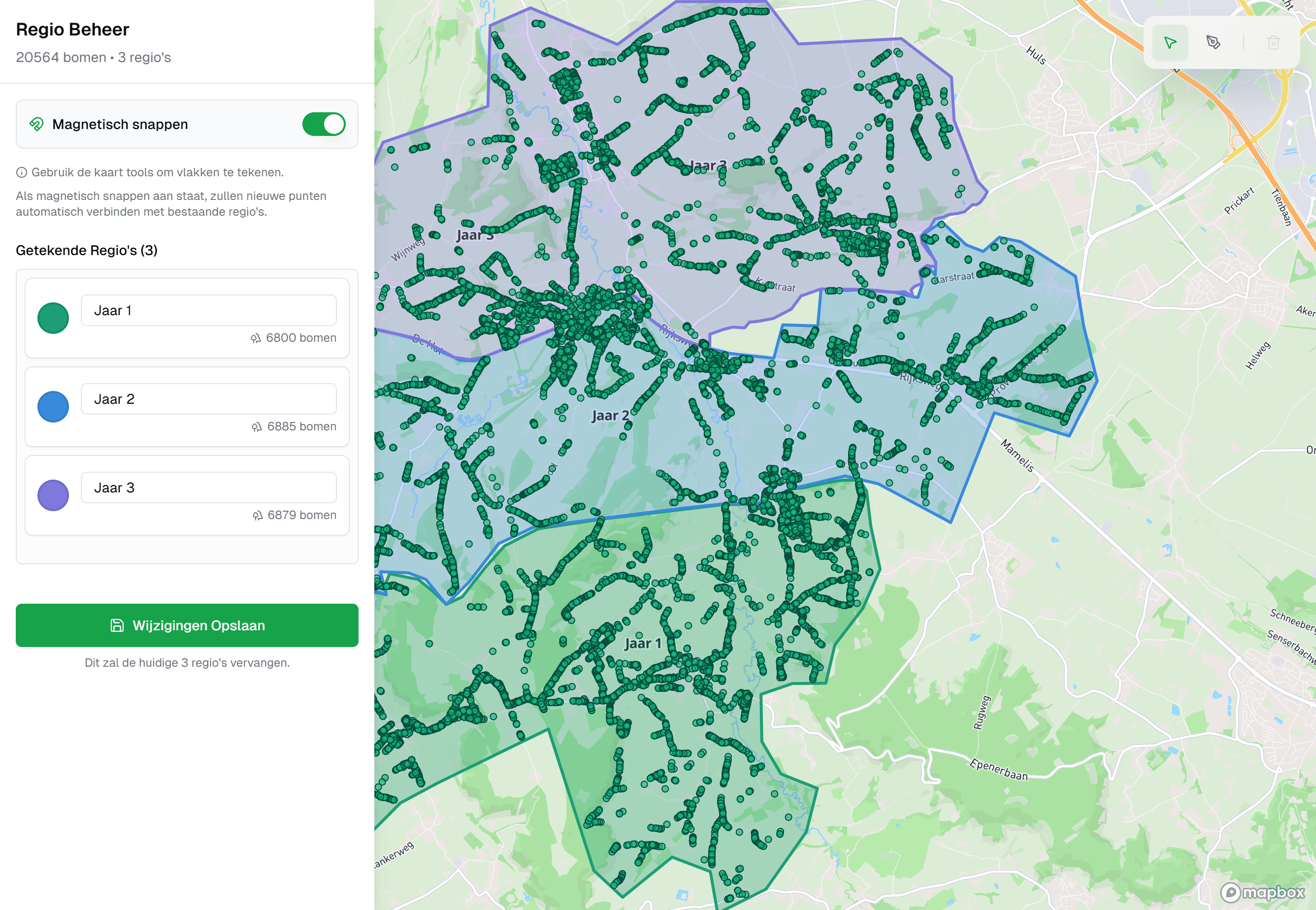
IDA is a specialised tree management package that runs in the browser, with the map as the way in to your inventory. Whatever you have, we can work with it: an Excel list, a CSV file, a shapefile or GeoPackage from your GIS, or an export from your current system. We migrate your tree inventory to IDA for you. That is part of the onboarding, so you do not have to import an Excel file yourself.
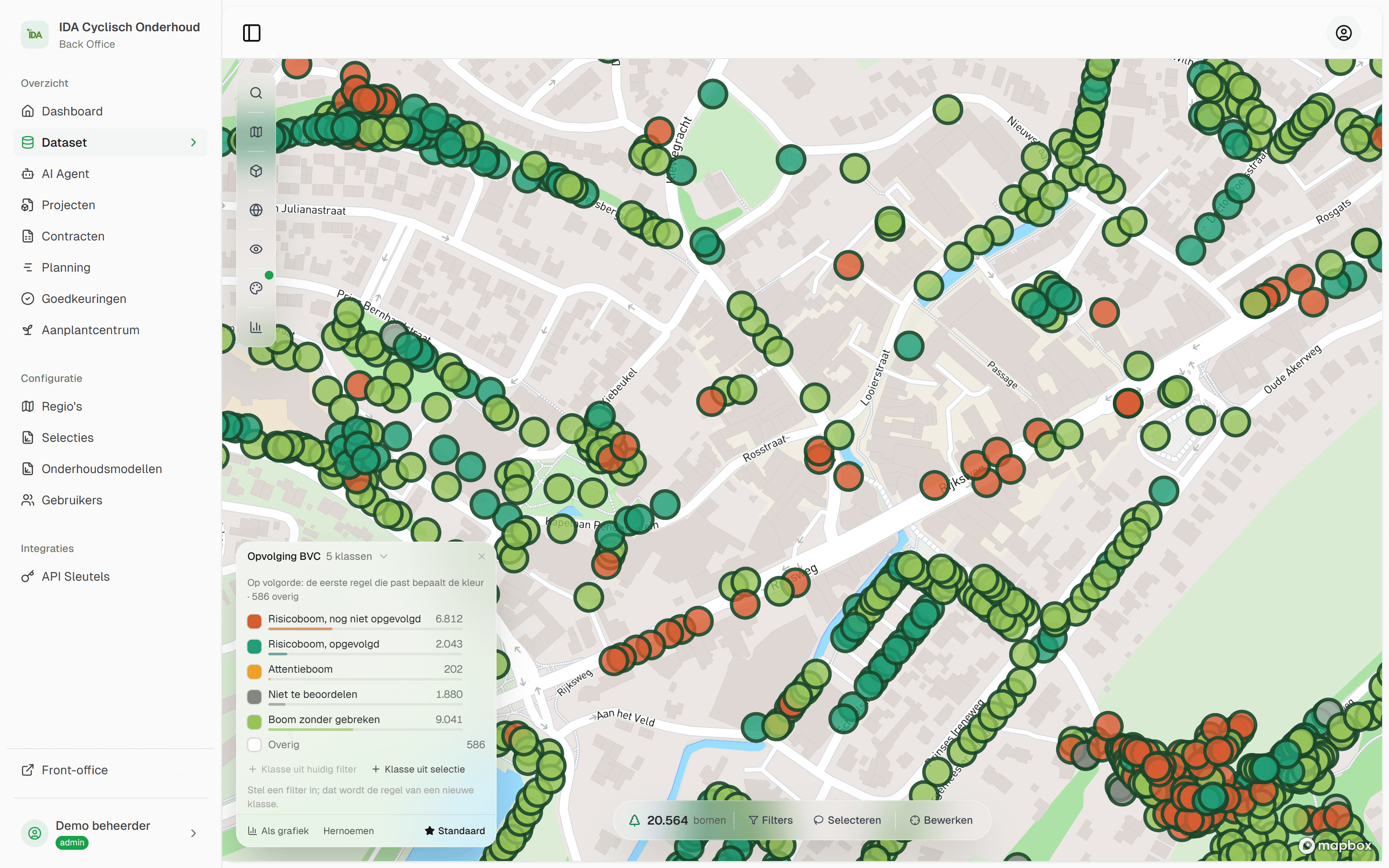
After the move every tree is on the map, and every value remembers that it came from your old file. When an inspection comes on top later, the tree shows the new value with the inspection as its source, and the old one in the history, with person and time.


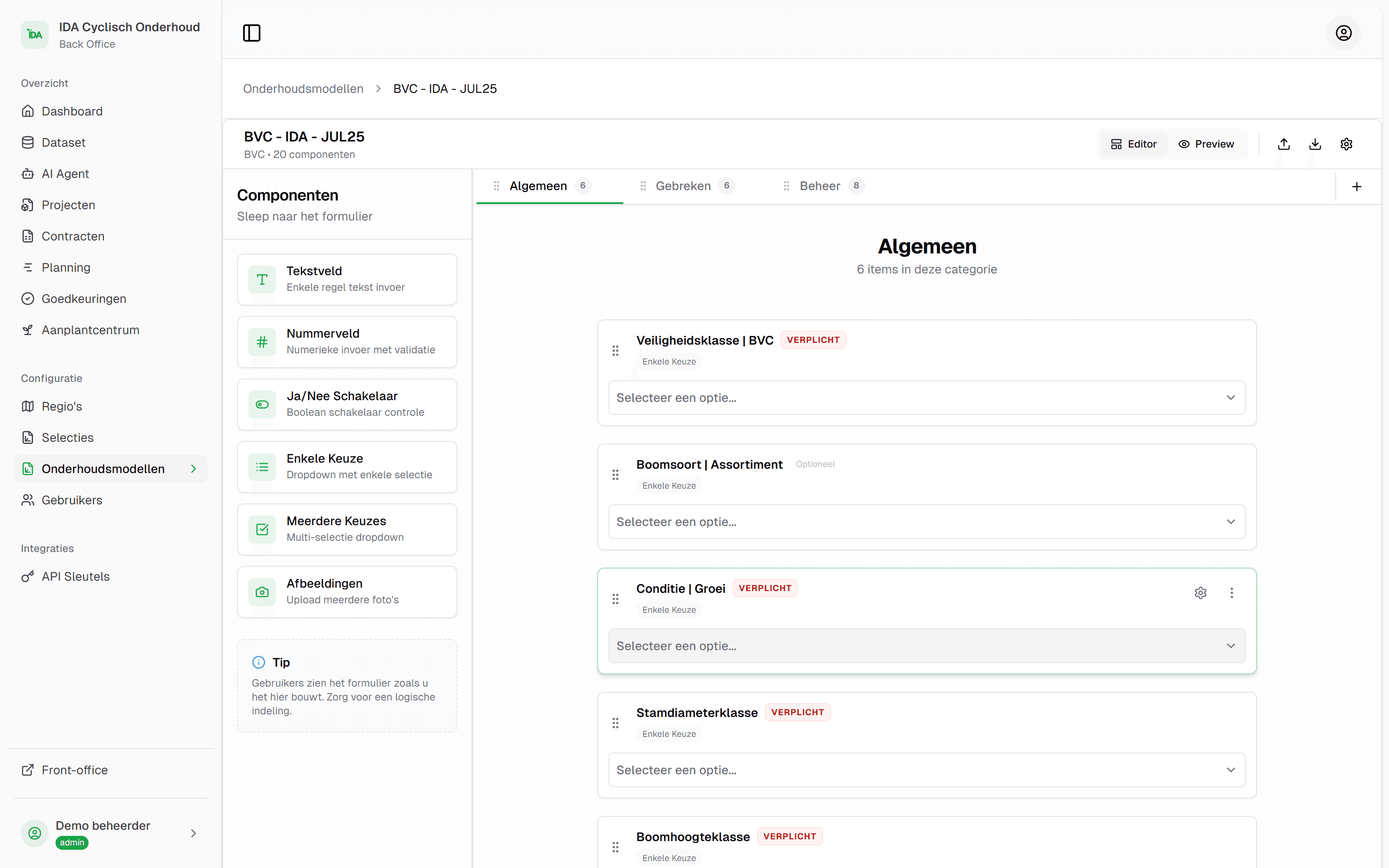
You commission inspections and work as a project. Whoever works outside fills in the form at the tree, in a web app on a phone or tablet, with photos from the camera. A contractor gets access to the projects assigned to them. New trees and deviations from the register are reviewed by you in a queue before they enter the register. You can see how that works under approvals.
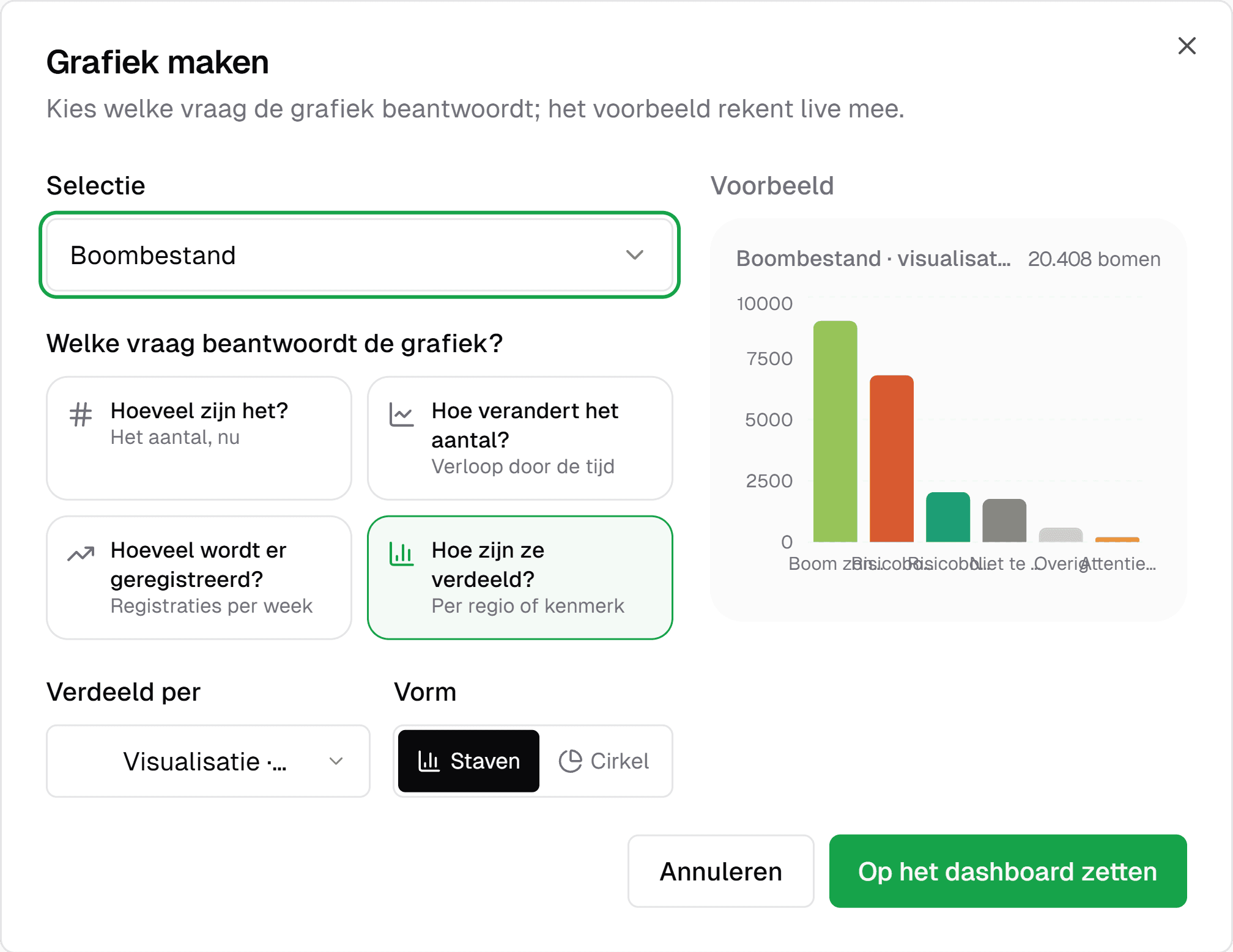
Calculating stays possible. Per project you export to Excel and CSV, and for your GIS colleague to shapefile and GeoJSON. For the questions you ask often, you put a saved selection on the dashboard as a chart: how many trees, how they are distributed, and how that number develops.
Pricing is tailored, based on the size of your tree inventory. You get a quote after a demo, and in that demo we are happy to look at your own file.
What you keep doing in Excel
Calculating. Totals per district, a pivot table per species, your own formula for the budget: that is what Excel is for, and that stays. The difference is that you calculate on an export from IDA, on data kept up in one place, instead of in the file that is also your register.
How to get your Excel file ready for the move
You do not have to: we work with what you have. These five things make any tree list better, whether you move or not. The work you have put into your spreadsheet comes with you either way.
One row per tree, one header per column
Remove merged cells, subheadings and total rows. Every tree gets its own number that never changes.
Coordinates in two columns
One column for x and one for y, and note which coordinate system they are in. In the Netherlands that is usually the Rijksdriehoeksstelsel (RD), the national grid. If you have no coordinates, surveying is the first step.
Bring pick lists into line
Good, good., Good (2021) and G are the same to a person and four values to a system. Bring every column back to a fixed list.
Dates as dates
An inspection date typed as text does not sort and cannot be filtered. Convert them to real dates.
Keep the original
Put the file as it was to one side. It is your evidence of what you knew up to the move.
More on cleaning up existing data is in mapping your tree inventory.
If you want to know what your file looks like on the map, bring it to a demo.
Frequently asked questions
There is no fixed number. Technically, Excel handles far more rows than a tree inventory will ever have. The limit is in the use: more people making changes, inspections you want to compare over the years, and the request for a map.
Yes, and we do it for you. Whatever you have, an Excel list, a CSV file or an export from your current system: IDA Bomen migrates your tree inventory for you. That is part of the onboarding. Bring your file to the demo and you see your own trees on the map.
In the Netherlands the law does not prescribe a system. After damage you do have to be able to show when a tree was inspected, what was found and what you did about it. A spreadsheet in which values are overwritten does not keep that course of events by itself, so you have to organise it around the file. In IDA Bomen every value has a source, a person and a time, and the previous value stays in the history.
Yes. IDA Bomen exports to Excel and CSV per project. You make your pivot tables and budgets the way you are used to, on data that is kept up in one place.
Keep them. Old files show what you knew at that moment, and that can matter later. We migrate the most recent version to IDA Bomen, and you put the rest to one side, with the date in the file name.
Read on
Tree management software: what it is and what to look for
Tree management software records your trees, inspections and maintenance on one map. What a tree management system does, and ten questions for any vendor.
7 min read
Compare tree management software: criteria and demo script
How to compare tree management software: weighted criteria, a demo script with your own inventory and the questions on export, contractors and total cost.
7 min read
How to create a tree inventory: from survey to register
Creating a tree inventory: which data you record per tree, how you survey trees, bring in existing data and keep the inventory current. Dutch practice.
7 min read
QGIS or ArcGIS for a tree inventory? Compare with IDA
A GIS shows where your trees stand. IDA Bomen runs the management: inspections, fieldwork, approval and a record per tree, with export to QGIS and ArcGIS.
6 min read

See your own tree inventory in IDA
Send us your tree inventory, as a shapefile, an Excel list or whatever you have, and we will show IDA on your own trees, from your own file to the approval of field work.
Used by