Compare tree management software: criteria and demo script
You do not compare tree management software on feature lists, but by having every vendor do the same thing with your inventory. Fix your knock-outs and your weighting in advance, write a demo script, and end every trial with an export of your data. The article is written from Dutch practice.
7 min read

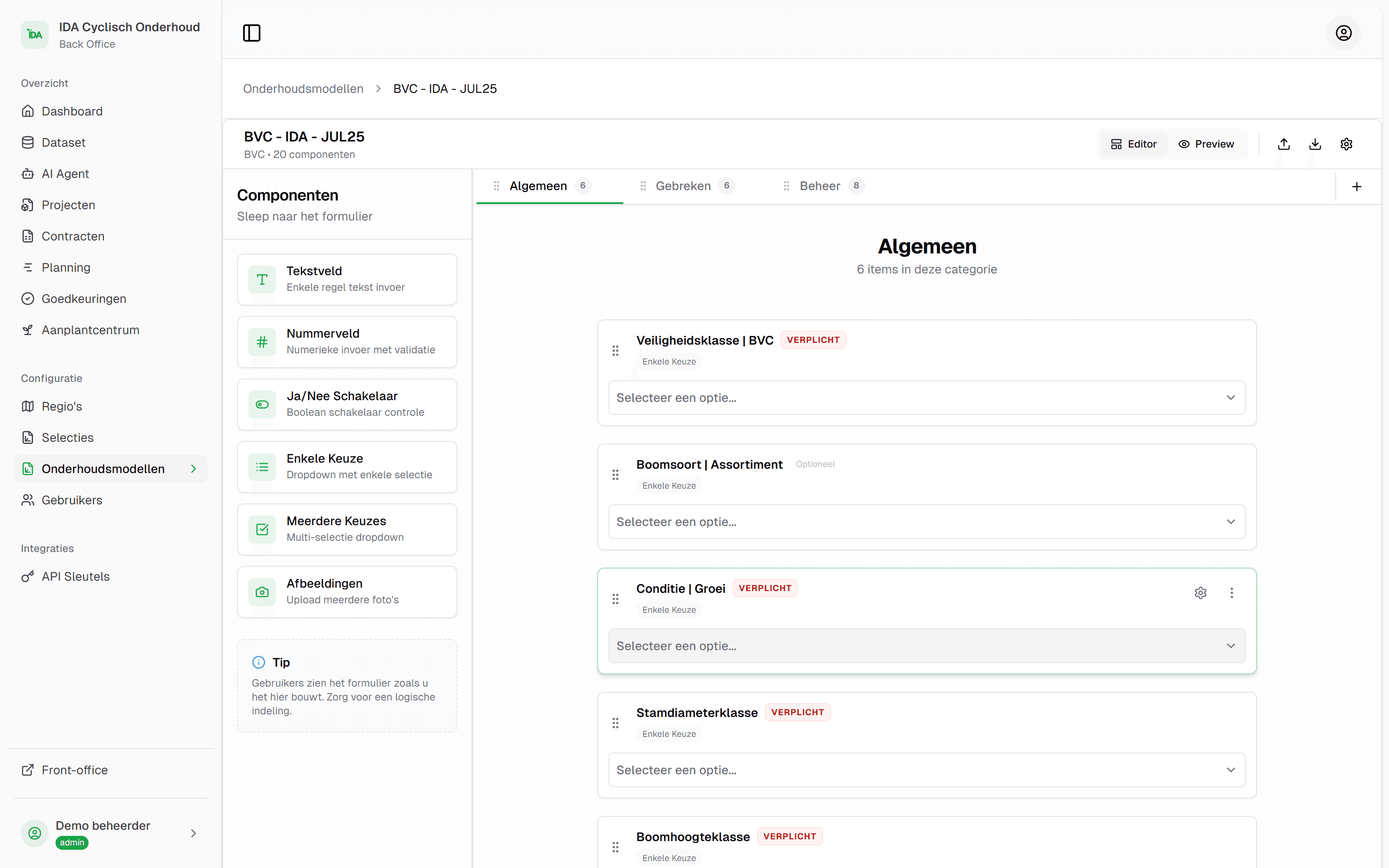
How to compare tree management software
Do not compare packages on their feature list, but on what they do with your inventory and your process. The feature lists look alike: map, inspections, app, reporting. You only see the differences when every vendor has to show the same thing, with the same data, in the same order.
That asks four things of you, and they make up the rest of this article: knowing which kinds of packages exist, splitting your requirements into knock-outs and weighted criteria, writing a demo script, and asking the questions about data and cost that do not come up by themselves in a presentation.
What tree management software is and what every system should be able to do is in the article on that. This article is about the choice itself. It is written from Dutch practice, with Handboek Bomen, the Dutch standard for tree care and tree inspection, as its reference; the method works anywhere. IDA Bomen is a specialised tree management package, and each part of the method says briefly how IDA answers it.
The kinds of packages you will come across
You compare more fairly when you know that not every package tries to be the same thing.
| What it is about | Broad asset system | Tree package | GIS, set up yourself |
|---|---|---|---|
| All public space assets in one system | Ja | Trees | Ja |
| Depth in inspections, pruning and work per tree | Varies | Ja | Build it yourself |
| Working with contractors in the field | Varies | Ja | Extra app |
| Spatial analysis with your own layers | Varies | Via your GIS | Ja |
| Who sets it up and maintains it | Vendor | Vendor | You |
A broad asset management system suits you if your organisation wants everything in one place and trees are one part of that. A tree package suits you when trees have their own team, their own contractors and their own risk. IDA is such a tree package: it runs in the browser, with the map as the way in to your inventory. Setting it up yourself in a GIS suits you if you have a GIS department that builds and maintains it; more on that in QGIS or ArcGIS for a tree inventory. If you are coming from a spreadsheet, first read a tree inventory in Excel or in software.
An overview of packages used by Dutch municipalities is in the GEMMA Softwarecatalogus (in Dutch) of VNG, the association of Dutch municipalities. Municipalities state there themselves which software they have in use. It is a list, not a review.
Knock-outs and weighting: your criteria on one sheet
Split your requirements into two kinds. A knock-out is a requirement a package either meets or does not. A weighted criterion is something packages can score better or worse on. Keep the knock-outs short, or everyone fails on paper and nobody in practice.
- Knock-out: your inventory in
- The package reads your current inventory, with your columns and your coordinate system.
- Knock-out: your data out
- Everything you enter, you get back in an open format, also along the way and also on termination.
- Knock-out: security and procurement
- Two-step verification, roles and permissions, a data processing agreement and clarity about where the data is held.
- Weighted: the process
- How an inspection round and a pruning order run, from selection to completion. This is usually where the biggest difference is.
- Weighted: the field
- How quickly someone who does not know the package finds a tree outside and fills in a form.
- Weighted: history and evidence
- Whether you can see per tree what was there before, who recorded it and where it came from.
- Weighted: fit with the sector
- The classes and terms of Handboek Bomen by Norminstituut Bomen in the standard forms, and the option to change fields and pick lists yourself.
- Weighted: total cost
- Not the licence, but everything you pay in four or five years. See further down.
Fix the weights before you see the first demo, with the people who are going to work with it. Whoever weighs afterwards, weighs towards the demo that was presented best. This is how IDA answers the knock-outs. We migrate your inventory for you, whether it is a shapefile, an Excel or CSV list or an export from your current system, and that is part of the onboarding. Exporting your tree inventory is something you do yourself, to the common GIS and Excel formats. Who may do what is set with roles and with access per project. And IDA aligns with the BIO, the Dutch government’s baseline for information security: put your requirements to us and we go through your security review with you.
A demo script with your own data
A demo script is a list of tasks that every vendor carries out in the same order, with your inventory. Send it in advance, together with an export of your trees. This is what a script that fits in an hour and a half looks like:
Read in our inventory
Live, or in advance with a report of what did not fit. You see how the package deals with your columns and with values that are not in a pick list.
Find the trees for a round
For example: all trees in the Noord district that have not been inspected for more than three years. Note how many steps it takes and whether you can save the selection.
Commission the round to a contractor
What does the contractor see, what do they not see, and what do they have to install. Ask for the contractor's screen, not for a description of it.
Fill in one tree outside
On a phone, with a photo, by one of your own people. Also give them a tree that is not in the inventory, and a tree whose species is wrong.
Review what comes back
Where does the new tree arrive, who approves it, and what does the tree's record then say about the provenance of the value.
Show the record of one tree
All inspections and measures over the years, with date and person, and as a document you can send to an insurer.
Give us everything back
End with an export of the whole inventory, with the data just entered. Open the file the same day in your own GIS or in Excel.

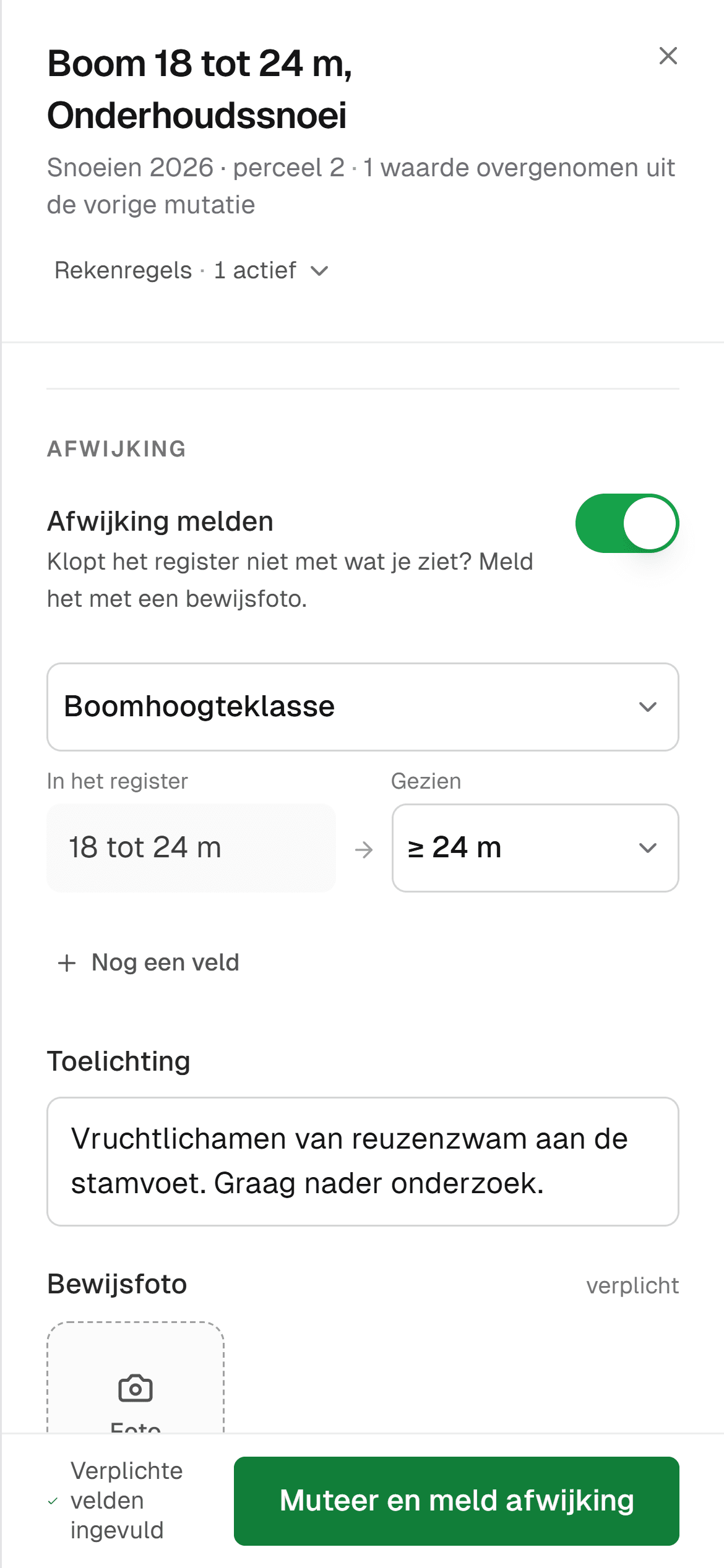
Let the people who are going to work with it score the demo, each on their own part. An inspector sees in five minutes what a procurement officer does not read in a quote.
This is how the script runs in IDA. A round starts as a selection on the map and becomes a project. The contractor gets access per project and works in a web app on their phone, with nothing to install. New trees and deviations arrive in a queue for your review, and you export the timeline per tree as a PDF. How work with a contractor should run is in working with a contractor.
Questions about your data: ownership and export
Your tree inventory will outlast any package. Put these questions in writing, and have the answers included in the contract. In IDA you export yourself, to Excel, CSV, shapefile and GeoJSON, and there is an API to connect to your own systems.
- Who owns the data, the photos and the history? The answer should be: you.
- In which formats do you get them back, and does that include the history or only the latest state?
- Can you export yourself, at any time, or do you have to ask?
- What happens to your data after termination, and within what period?
- Is there a documented API, and what does using it cost?
- Where is the data held, and who can access it?
What it costs in total
Pricing models differ: per tree, per user, per module, or a combination. Make them comparable by having every vendor fill in the same worked example, for your number of trees and your number of people, over the whole term.
In it, ask separately about the import of your existing inventory, the configuration of forms and pick lists, training, accounts for contractors and their crews, integrations, and what happens when your inventory grows. Count your own hours too, certainly for a solution you set up yourself. If the contract falls under public procurement rules, involve your procurement department before you speak to the first vendor. The price of IDA is tailored, based on the size of your tree inventory, with a quote after a demo.
How IDA answers these points
Feel free to hold IDA against the script above, with your own inventory.
We migrate your inventory for you, whatever you have, and after that every tree is on the map. A project has a type, such as BVC (the Dutch tree safety inspection), pruning or felling, and a form you adapt yourself. The standard forms use the sector's classes, in line with Handboek Bomen.
A deviation from the field comes with proof photos, and you approve or reject it. Every value of a tree knows its provenance, with person and time. Ask for the record of one tree and you see all inspections over the years, and export them as a PDF.
What you get per module is on the page about the platform.
Frequently asked questions
There is no best package apart from your organisation. A broad asset management system suits you if you want all public space assets in one place, a specialised tree package if trees have their own team and their own contractors. The best package for you is the one that gets through your own demo script best. IDA Bomen is a specialised tree package, and in a demo you go through the script with your own inventory.
Two to four is workable. With fewer you have no comparison, with more you cannot keep the script and the assessors the same. Use your knock-outs to sift in advance, on paper.
For the Netherlands, the GEMMA Softwarecatalogus of VNG, the association of Dutch municipalities, shows which packages municipalities use for managing public space, trees included. It is a list without a verdict. Also ask colleagues at comparable organisations what they use and what they would do differently.
That the data, the photos and the history are yours, in which open formats you get them back, that you can export yourself and what happens to them after termination. Test the export during the trial, so you know what the agreement delivers in practice. In IDA Bomen you export yourself, to shapefile, Excel and the other common formats.
Have every vendor fill in the same worked example: your number of trees, your number of people and contractors, over the whole term. Ask separately about import, configuration, training and integrations, and count your own hours. The price of IDA Bomen is tailored, based on the size of your tree inventory, with a quote after a demo.
That depends on the value of the contract over the whole term and on your organisation's procurement policy. Involve your procurement department early. A demo script with weighting fixed in advance also works as an evaluation method in a tender.
Read on
Tree management software: what it is and what to look for
Tree management software records your trees, inspections and maintenance on one map. What a tree management system does, and ten questions for any vendor.
7 min read
Tree inventory in Excel or in IDA: when to make the move
Keeping your tree inventory in Excel? Read where a spreadsheet stops for trees, and how we migrate your file to IDA Bomen, with a map and history.
6 min read
QGIS or ArcGIS for a tree inventory? Compare with IDA
A GIS shows where your trees stand. IDA Bomen runs the management: inspections, fieldwork, approval and a record per tree, with export to QGIS and ArcGIS.
6 min read
Outsourcing tree maintenance: working with a contractor
Outsourcing tree maintenance to a contractor: what goes in the specification, how assignment, report back and settlement run, and how to handle deviations.
7 min read

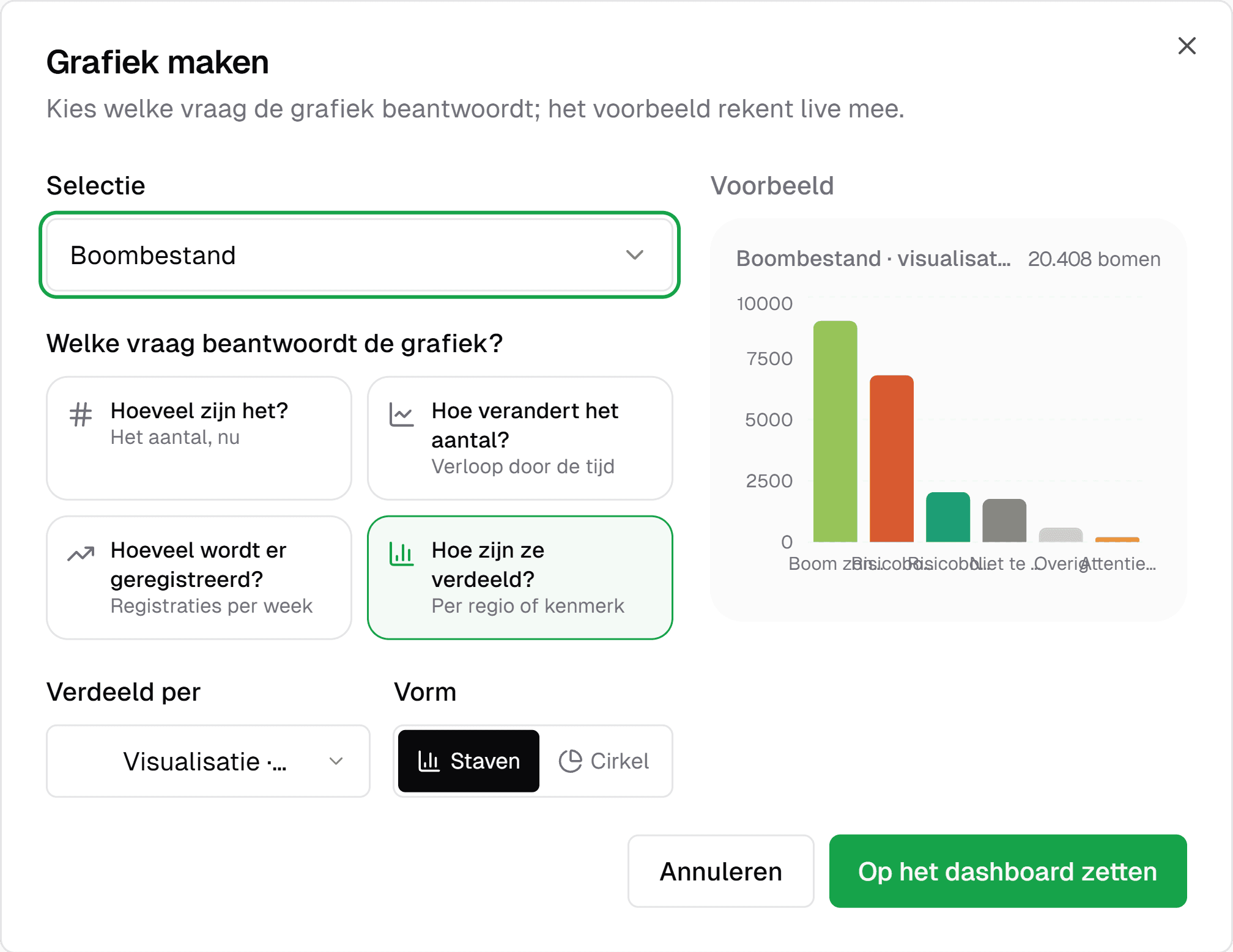
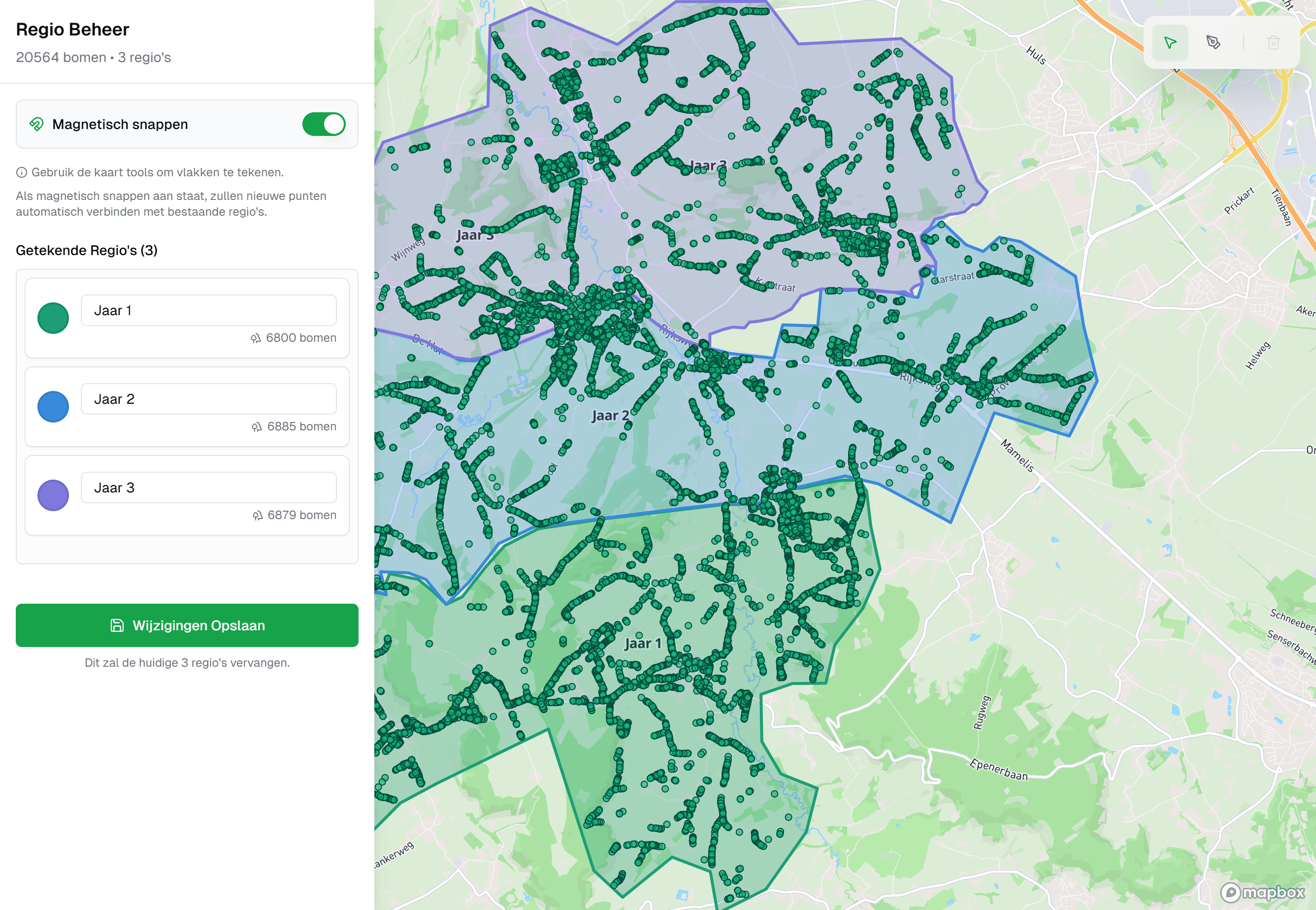

See your own tree inventory in IDA
Send us your tree inventory, as a shapefile, an Excel list or whatever you have, and we will show IDA on your own trees, from your own file to the approval of field work.
Used by