Tree management software: what it is and what to look for
Tree management software is a system in which you record every tree on the map, with its attributes, inspections and maintenance, and with which you commission work and get it back. You choose well if you look at what happens to your data: how it gets in, who changes it, and whether you can get it out again. The examples come from Dutch practice.
7 min read

What tree management software is
Tree management software is software in which a tree owner, usually a municipality, registers, inspects and maintains its trees. Every tree is a point on a map, with its attributes, the outcome of inspections and the work that has been done on it. You will also come across the same software as tree inventory software or a tree management system. This article describes practice in the Netherlands, where the category is called boombeheer software and Handboek Bomen, the Dutch standard for tree care and tree inspection, sets the vocabulary.
The difference from a list or a stand-alone map is that the system also knows the process. It knows which trees are in an inspection round, who assesses them, what was found and whether the measure was carried out afterwards. That way it answers the two questions tree management comes down to: what is there, and what have we done about it.
There are two kinds. A broad asset management system for public space handles roads, sewers, lighting and green space in one package, with trees as one part. A specialised tree package does trees only, and goes deeper: the fields of the tree safety inspection, pruning regimes, work per tree for the contractor. The broad system suits an organisation that wants everything in one place. The tree package suits you when trees have their own team, their own contractors and their own risk. IDA Bomen is such a specialised tree package, with the map as the way in to your inventory. Where the two sit side by side, what counts is how well they exchange data.
What a tree management system does
The packages differ, but the core is the same everywhere:
- Tree inventory
- The register: per tree the species, the dimensions, the condition, the site and the manager, with fixed pick lists so that everyone enters the same thing.
- Map
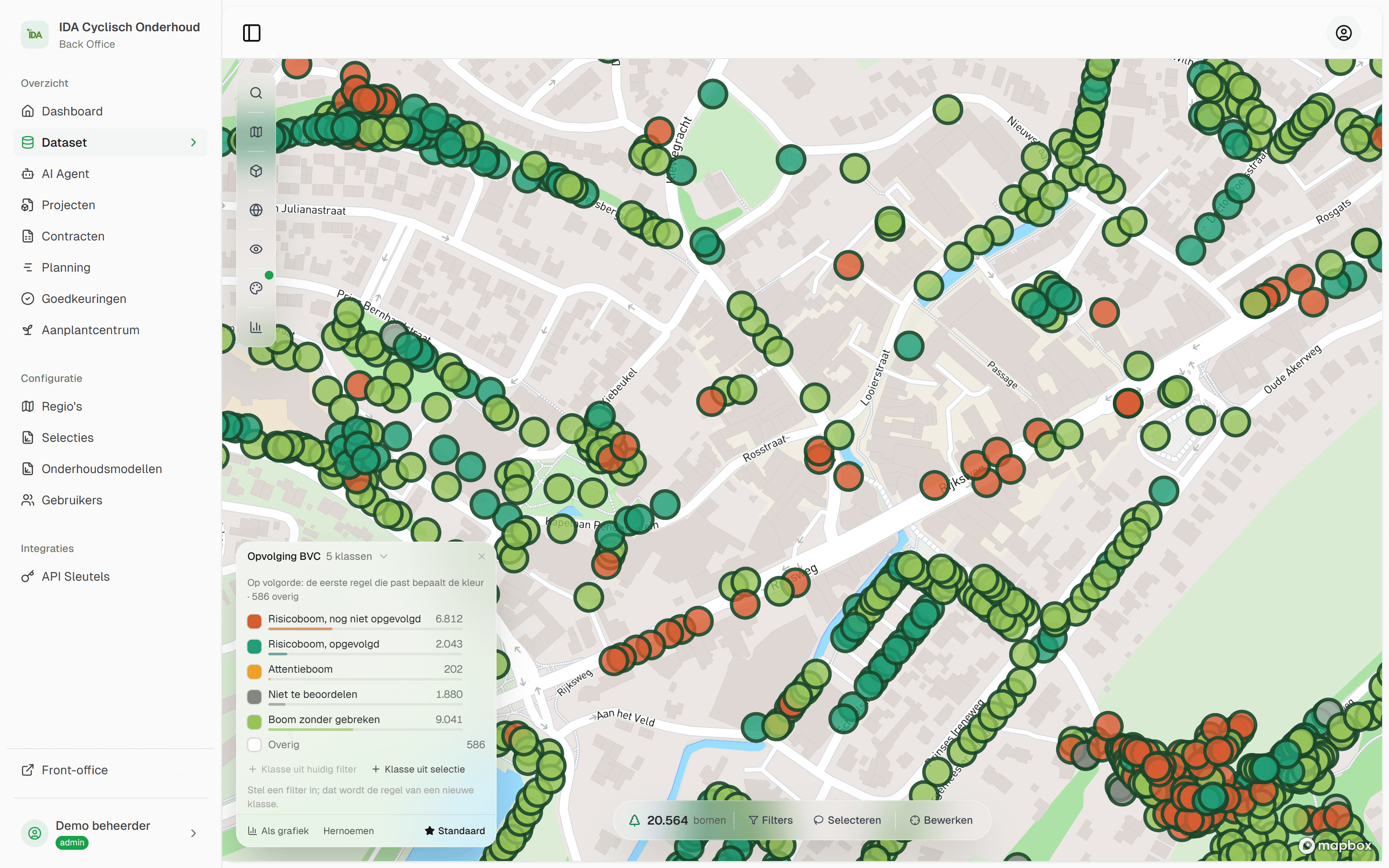
- All trees on a map, filtered and coloured by any attribute: species, safety class, last inspection, district.
- Inspections
- The tree safety inspection and other inspections as a round: which trees, which fields, who inspects, and what the outcome is per tree.
- Commissioning work
- From finding to work order: pruning, felling, closer examination, planting and aftercare, for your own crew or a contractor, with progress.
- Fieldwork
- Data entry at the tree, on a phone or tablet, with photos and the user's position on the map.
- Review of what comes in
- A manager who reviews what comes back from the field, before a new tree or a changed value is in the register.
- History
- Per tree, what was established and done, when, and by whom. This is the part that counts when someone asks what you knew.
- Reporting and export
- Figures for councillors and budgets, and your data out in common formats, for your GIS and for other systems.
IDA keeps that history with every value: where it comes from, from whom and from when. Why that history carries so much weight is explained in the article on the duty of care for trees. What an inspection records exactly is in what a tree safety inspection is.


Spreadsheet, GIS or tree management software
Many tree inventories start in a spreadsheet or as a layer in a general GIS. A spreadsheet is made for calculating, a GIS for analysing spatial data. The process around the tree is in neither: the round, the fieldwork, the review of what comes back and the history per tree. That is what tree management software is made for.
| What you need | Spreadsheet | General GIS | Tree management software |
|---|---|---|---|
| Trees on a map | — | Ja | Ja |
| Spatial analysis with your own map layers | — | Ja | Via your GIS |
| Free calculation and pivot tables | Ja | Limited | Via export |
| Fixed pick lists from the sector | Build it yourself | Build it yourself | Ja |
| Data entry in the field with photos | — | With an extra app | Ja |
| Commissioning work and tracking progress | — | Set up yourself | Ja |
| Reviewing input before it enters the register | — | Set up yourself | Ja |
| History per tree, with date and person | By hand | Set up yourself | Ja |
“Set up yourself” means that someone builds it and then keeps maintaining it. Count those hours. In IDA, the projects, the fieldwork, the review and the history are ready to use, and you calculate and analyse on an export to Excel or your GIS.
The turning point usually comes not from the number of trees but from the number of people. As soon as an inspector, a contractor and a manager work in the same file, a spreadsheet goes wrong: versions by email, overwritten cells, and afterwards no way of seeing who changed what.
What to look for when choosing
Vendors' feature lists look alike. The differences are in the questions below. Put them to every vendor, including us.
- Your data in and out. Can the package read your current inventory, with your columns and your coordinate system? And do you get everything out again, history and photos included, in an open format?
- History per value. Does the system keep only the current state, or also what was there before, with date, person and provenance? Ask for the record of one tree over several years.
- The field. Let the inspector and the contractor try it themselves, outside, on their own phone. Ask whether anything has to be installed. In IDA, the field app is a web app you open in your phone's browser.
- Contractors. Can a contractor see only their own assignment? Does their input go straight into your register, or do you review it first? Does an account for a contractor cost extra?
- The language of the sector. Does the package use the classes of Handboek Bomen by Norminstituut Bomen (in Dutch)? And does it connect to IMBOR (in Dutch), CROW's Dutch information model for public space, if your organisation works with it? Ask how: a logo on a website is not an integration.
- Changing it yourself. Can you change a field, a pick list or a form yourself, or is that custom work by the vendor?
- Integrations. Is there a documented API? Which map layers are included: aerial photo, cadastral parcels, elevation map?
- Security and procurement. Two-step verification, roles and permissions, a log of administrative actions, the location of the data, a data processing agreement.
- Speed with your own inventory. A demo with a few hundred trees says little. Ask for a trial with your full inventory.
- What determines the price. The number of trees, the number of users or the modules? Also ask about the cost of import, configuration and training.
How to go about the choice
Start with your process
Write down how an inspection round and a pruning order run today, and where it goes wrong. Those are your requirements.
Have your own inventory read in
Give two or three vendors the same export file. You see at once who understands your data, and what in your inventory is not right yet.
Test outside
A morning with an inspector and someone from the contractor yields more than a presentation.
Ask for your data back
End the trial with an export of everything that was entered. What you get back is what you will get when you switch later.
If you do not have a usable inventory yet, start there. Mapping your tree inventory explains how. What tree management looks like in the organisation around it is in tree management in a municipality.
How IDA does it
IDA is a specialised tree package that runs in the browser, for municipalities and the contractors who work for them. The answers to the questions above, in short:
Whatever you have, we can work with it: a shapefile or GeoPackage from your GIS, an Excel or CSV list, or an export from your current system. We migrate your tree inventory to IDA for you, and that is part of the onboarding. Exporting your tree inventory is something you do yourself, to shapefile, Excel and the other common formats, so your GIS colleague and your consultancy can carry on with it. Every value of a tree knows its provenance, with person and time. So you can see whether a condition comes from your old file or from last year's inspection. You export the timeline per tree as a PDF.
You commission work as a project: a group of trees, a type such as BVC (the Dutch tree safety inspection), pruning or felling, and a form you can adapt yourself. The standard forms use the sector's classes, in line with Handboek Bomen. A contractor gets access per project and works in a web app on a phone or tablet, with nothing to install. New trees and deviations from the register are reviewed by you in a queue before they enter the register. More on that in working with a contractor.
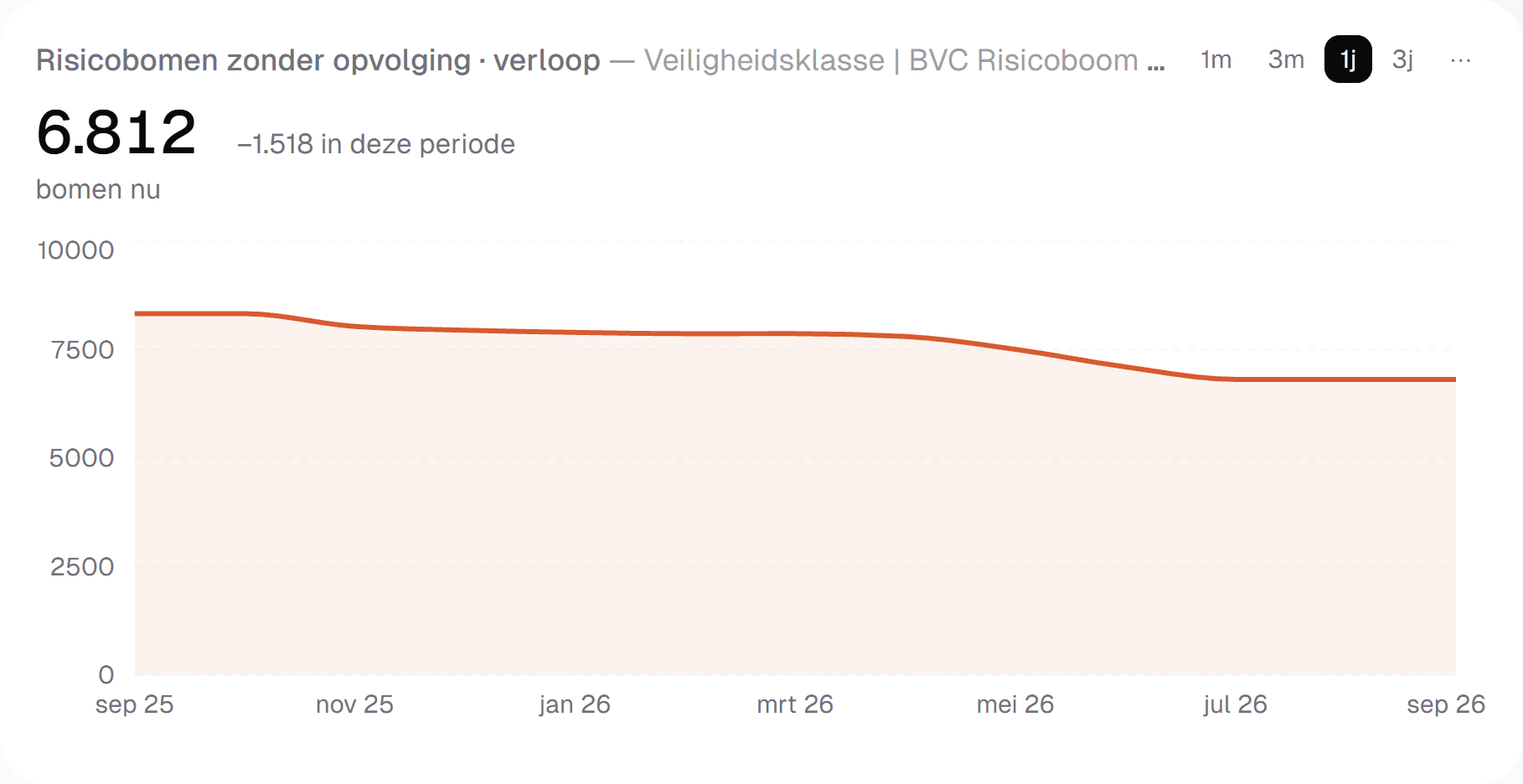
The map comes with the national map layers of PDOK, the Dutch government's open geodata platform, such as the aerial photo, the cadastral parcels and the elevation map. Who may do what is set with roles and with access per project. And there is an API to connect IDA to your own systems.
If you want to know how it fits your tree inventory and your way of working, the quickest way to see that is a demo with your own data.
Frequently asked questions
A spreadsheet keeps today's state: one row per tree, without a map and without history. As soon as more people work in it, versions appear and changes cannot be traced. You need history per tree to show that you meet your duty of care. IDA Bomen migrates your Excel file for you, and after that every value remembers where it came from.
A GIS is made for editing and analysing spatial data. Tree management software is made for the work around the tree: inspection rounds, work orders for contractors, data entry in the field, review of what comes back and history per tree. In a GIS you build and maintain that yourself. In IDA Bomen that process is ready to use, and the data goes to your GIS in open formats.
That differs per vendor and per pricing model: per tree, per user or per module. Always ask for the total, with the import of your existing inventory, configuration, training and accounts for contractors, and ask what happens when your inventory grows. IDA Bomen has tailored pricing, based on the size of your tree inventory, with a quote after a demo.
Yes. Have a vendor work with your own file before you sign, so you see what is left of your data. IDA Bomen migrates your tree inventory for you, whatever you have: a shapefile or GeoPackage from your GIS, an Excel file or an export from your current system. That migration is part of the onboarding.
No, in the Netherlands no law prescribes software. As a tree owner you do have a duty of care, and after damage you must be able to show when a tree was inspected and what you did with the outcome. That takes a record per tree that is complete and quick to find, with a date and a name. IDA Bomen keeps it per tree, in a timeline you export as a PDF.
Read on
Municipal tree management: how a local authority runs it
Municipal tree management runs from policy and management plan to inspection, maintenance and records. The cycle, the roles and where it goes wrong.
6 min read
How to create a tree inventory: from survey to register
Creating a tree inventory: which data you record per tree, how you survey trees, bring in existing data and keep the inventory current. Dutch practice.
7 min read
Outsourcing tree maintenance: working with a contractor
Outsourcing tree maintenance to a contractor: what goes in the specification, how assignment, report back and settlement run, and how to handle deviations.
7 min read


See your own tree inventory in IDA
Send us your tree inventory, as a shapefile, an Excel list or whatever you have, and we will show IDA on your own trees, from your own file to the approval of field work.
Used by